

The Global Scholarly Directory.
Discover world-class academic programs curated for the modern intellectual. Search through 19877+ degrees and professional certificates.
 28DIGITAL
Basic Recommender Systems
The Basic Recommender Systems course introduces you to the leading approaches in recommender systems. The techniques described touch both collaborative and content-based approaches and include the most important algorithms used to provide recommendations. You'll learn how they work, how to use and how to evaluate them, pointing out benefits and limits of different recommender system alternatives. After completing this course, you'll be able to describe the requirements and objectives of recommender systems based on different application domains. You'll know how to distinguish recommender systems according to their input data, their internal working mechanisms, and their goals. You’ll have the tools to measure the quality of a recommender system and incrementally improve it with the design of new algorithms. You'll learn as well how to design recommender systems tailored for new application domains, also considering surrounding social and ethical issues such as identity, privacy, and manipulation. Providing affordable, personalised and high-quality recommendations is always a challenge! The course also leverages two important EIT Overarching Learning Outcomes (OLOs), related to creativity and innovation skills. In trying to design a new recommender system you need to think beyond boundaries and try to figure out how you can improve the quality of the predictions. You should also be able to use knowledge, ideas and technology to create new or significantly improved recommendation tools to support choice-making processes and strategies in different and innovative scenarios, for a better quality of life.
 University of California, Irvine
Projektrisiken und -änderungen managen
Dieser Kurs hilft Ihnen dabei, das Projektrisiko effektiv zu managen, indem Sie unvermeidliche Änderungen des Projektumfangs und der Projektziele ermitteln, analysieren und kommunizieren. Sie werden die Elemente verstehen und üben, die zur Bemessung und Berichterstattung von Projektumfang, Zeitplan und Preis-Leistung erforderlich sind. Sie werden mit den Werkzeugen ausgestattet, mit denen Sie Änderungen für Ihr Team und andere Stakeholder des Projekts möglichst reibungslos managen können. Nach Abschluss dieses Kurses werden Sie in der Lage sein: 1. die Komponenten eines Kommunikationsmanagementplans zu definieren 2. die Bedeutung von Kommunikationskanälen zu verstehen 3. die Schlüsselelemente zu definieren, die zur Bemessung und Berichterstattung von Projektumfang, Zeitplan und Preis-Leistung erforderlich sind 4. Ereignisse mit Projektrisiko zu ermitteln 5. ermittelte Risiken zu priorisieren 6. Reaktionen auf ein hochpriorisiertes Risiko zu entwickeln 7. Änderungen des Projektumfangs zu ermitteln und zu analysieren 8. Ursachen und Wirkungen von Projektänderungen zu beschreiben 9. den Zweck der Durchführung einer Lessons-Learned-Session (Sitzung zur Zusammenfassung der Schlussfolgerungen) zu definieren
 Google Cloud
AI Infrastructure: Deployment Types
This course provides a comprehensive guide to deploying, managing, and optimizing AI and high-performance computing (HPC) workloads on Google Cloud. Through a series of lessons and practical demonstrations, you’ll explore diverse deployment strategies, ranging from highly customizable environments using Google Compute Engine (GCE) to managed solutions like Google Kubernetes Engine (GKE). Specifically, you’ll learn how to create clusters and deploy GKE for inference.
 Duke University
Understand Big O Notation in Python
In this 1-hour long project, you will gain first-hand experience using Python to model algorithmic efficiency tradeoffs. By implementing simulations of real-world systems using Big O notation, you will be able to quantify performance impacts of technical and business decisions. This will prepare you to advocate the importance of scale efficiency in data systems you design and maintain.
 Coursera
Perplexity.AI for Beginners: AI-Powered Search
In this 1-hour long project-based course, you will learn how to Navigate and Utilize AI Tools Efficiently, Enhance Research with Advanced AI Features, and Organize and Summarize Research Findings. By the end of this project, you will have learned how to use Perplexity.AI to make your searches better with text prompts and attached files. You will learn to navigate the site, use special features for detailed searches, and organize and show your findings in a clear way, helping you explore your topics more deeply.
 Coursera
Seamless Salesforce Integration
In this course, you’ll begin with the basics of Salesforce integration, providing beginner learners with an excellent opportunity to build a solid foundation in the subject. As the course progresses, you’ll explore the application of integration techniques to address real-world challenges, enabling intermediate learners to enhance their expertise and master advanced aspects of Salesforce integration. This course is ideal for developers, business analysts, and technical architects who are looking to understand the principles and techniques of Salesforce integration. A basic understanding of Salesforce, APIs, and data management concepts is required. Knowledge of HTML and JavaScript will be beneficial. By the end of this course, you’ll be ready to integrate Salesforce with confidence, enhancing your organization’s technology stack.
 Logical Operations
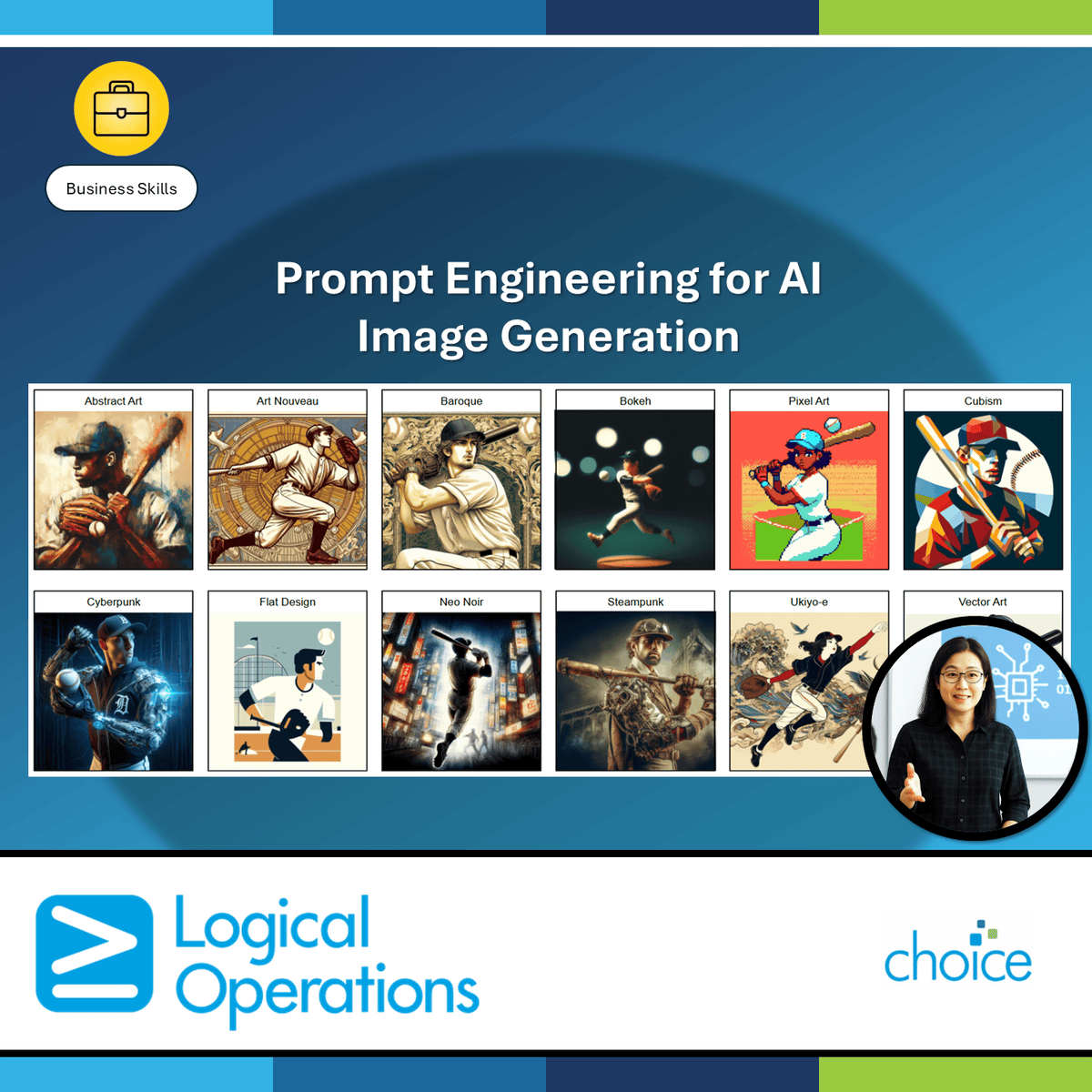
Prompt Engineering for AI Image Generation
Artificial intelligence (AI) tools can be used in a business setting to create images that are unique, high quality, and cost effective. In response to your written prompt describing what you require in an image, these tools can quickly produce art, illustrations, diagrams, sketches, graphical concepts, and a wide range of other images, enabling you to save time and money designing and developing new graphic concepts, custom images, and product designs. This course is designed for people who want to develop the skills needed to put generative AI–based image-generation tools to work in their own tasks and workflows. In this course, you will: select and use a generative AI tool to create images from text prompts, describe your desired content and style sufficiently for a generative AI tool to produce the image you want, and use AI image-generation tools effectively and ethically within a business context.
 Packt
Packt
NumPy, Matplotlib & Pandas – Data Science Prerequisites
Updated in May 2025. This course now features Coursera Coach! A smarter way to learn with interactive, real-time conversations that help you test your knowledge, challenge assumptions, and deepen your understanding as you progress through the course. This course provides a solid foundation in Python for data science, focusing on NumPy, Matplotlib, Pandas, and a touch of machine learning. Learners will gain practical experience with essential data science tools, enhancing their ability to manipulate data, visualize it, and perform basic machine learning tasks. By the end of the course, students will be prepared to tackle more advanced data science topics with a strong understanding of how Python is used in real-world applications. In the first section, you will get an introduction to NumPy, focusing on its powerful array operations and speed advantages over traditional Python lists. You'll explore matrices, dot products, and linear systems to understand the foundation of numerical computing. Practical exercises will reinforce these concepts, making sure you are comfortable working with NumPy in data science. Next, you'll move to Matplotlib, where you'll learn how to visualize data effectively. Through hands-on practice with line charts, scatterplots, histograms, and image plotting, you'll become proficient in presenting data in various graphical formats. This section will equip you with the tools to visually analyze data and communicate insights clearly. In the final section, you'll dive into Pandas, one of the most widely used libraries for data manipulation. You'll master techniques like loading data, selecting rows and columns, and applying functions to dataframes. You'll also explore plotting capabilities within Pandas. As a bonus, you'll be introduced to SciPy and basic machine learning concepts to understand how these tools integrate into data science workflows. This course is ideal for anyone starting their data science journey or looking to strengthen their Python skills for data analysis. A basic understanding of Python is required, and the course is designed for beginners. If you are interested in learning how to use Python for data manipulation, visualization, and introductory machine learning, this course will set you up for success.
![Aprendendo a aprender: ferramentas mentais poderosas para ajudá-lo a dominar assuntos difíceis (em Português) [Learning How to Learn]](https://d3njjcbhbojbot.cloudfront.net/api/utilities/v1/imageproxy/https://coursera-course-photos.s3.amazonaws.com/b0/a1543c1a4b4a5484327d8bb8af0679/Learning-How-to-Learn-Logo_875X875px.png) Deep Teaching Solutions
Deep Teaching Solutions
Aprendendo a aprender: ferramentas mentais poderosas para ajudá-lo a dominar assuntos difíceis (em Português) [Learning How to Learn]
Este curso dá-lhe acesso fácil a técnicas de aprendizagem de valor inestimável, usadas por especialistas em Arte, Música, Literatura, Matemática, Ciência, Esportes e muitas outras disciplinas. Vamos aprender sobre a forma como o cérebro usa dois modos de aprendizagem muito diferentes e como ele encapsula (em "pedaços") informações. Também vamos falar sobre ilusões de aprendizagem, técnicas de memória, lidar com a procrastinação, e as melhores práticas apresentadas pela investigação a ser mais eficaz em o ajudar a dominar assuntos difíceis. Usando essas abordagens, não importa os seus níveis de habilidade em tópicos que você gostaria de dominar, você pode mudar o seu pensamento e mudar sua vida. Se você já é um especialista, essa "espiada embaixo do capô" lhe dará ideias para turbinar sua aprendizagem de forma bem sucedida, incluindo dicas contra intuitivas para realização de testes, que lhe ajudarão a fazer o melhor uso do seu tempo em deveres de casa e situações de problemas. Se estiver com dificuldades, você verá um tesouro estruturado de técnicas práticas que lhe mostrarão o que precisa fazer para entrar nos trilhos. Se você já quis melhorar em qualquer coisa, este curso vai servir como um guia. This is a translated version. To join the original English version, visit this page: https://www.coursera.org/learn/learning-how-to-learn Este curso está disponível também em Espanhol. Para entrar na versão completamente traduzida, visite esta página: https://www.coursera.org/learn/aprendiendo-a-aprender⏎ Este curso está disponível também em Chinês. Para entrar na versão completamente traduzida, visite esta página: https://www.coursera.org/learn/ruhe-xuexi
 Coursera
GenAI for Writing and Auditing VBA Macros in Finance
Do you know that, according to Deloitte, 42% of companies are already experimenting with generative AI, and 15% have embedded it into their business strategies?¹ Moreover, 79% of CFOs believe that AI adoption in finance can directly contribute to revenue growth.². The shift is happening—and now’s the time to get ahead. If you're a finance professional ready to revolutionize how you build models and generate reports, this course is for you. We’ll show you how to combine the power of GenAI and VBA in Excel to automate workflows, boost accuracy, and reclaim time for high-impact decisions. In this course, you'll learn to: 1. Automate financial tasks using GenAI and VBA in Excel. 2. Build dynamic financial models like loan amortization schedules and retirement planners. 3. Audit and optimize existing VBA macros with GenAI assistance. 4. Apply automation to streamline real-world financial workflows. Through tool demonstrations, hands-on examples, and step-by-step guidance, you’ll gain practical skills you can start applying right away. This course is designed for financial professionals such as analysts, managers, accountants, auditors, and CFOs, as well as Excel power users, data scientists, and those eager to integrate GenAI into finance workflows. Whether you're looking to optimize your current processes or learn new automation techniques, this course will provide the tools to elevate your skills and streamline your work. It's also ideal for anyone looking to harness the power of GenAI and VBA to enhance financial decision-making. To get the most out of this course, learners should have a basic knowledge of Microsoft Excel and an understanding of fundamental financial concepts like present value, future value, and investment returns. No prior experience with VBA is required, though familiarity with personal finance or business analysis is beneficial. Curiosity about incorporating GenAI into financial workflows will help you engage with the course content, and a willingness to experiment with new tools will be key to mastering the material. By the end of this course, learners will be able to guide GenAI in generating, explaining, and optimizing VBA macros for financial tasks. They will gain the skills to build practical financial tools in Excel, such as loan calculators and retirement planners, using both their financial knowledge and GenAI-assisted VBA. Additionally, learners will be able to audit, debug, and enhance existing VBA macros to improve their performance and apply GenAI-powered automation to streamline tasks like data cleaning and Monte Carlo simulations, ultimately transforming how they work with financial data.
 Xi'an Jiaotong University
系统平台与C#程序基础
关于《系统平台与C#程序基础》课程: 作为“.Net平台下软件开发技术”专项课程的第一门课程,本课程将从计算机的入门知识讲起,首先向你介绍计算机的基础知识和基本原理,包括信息表示与编码、软硬件系统组成及工作原理等,并通过由基本逻辑门到运算器的构造过程讲述,帮助你初步建立自底向上的系统构造思维能力。如果你未来从事系统设计,这将是非常重要的一项素质。 在基础奠定之后,本课程将用两周的时间,带你快步走进C#,为你介绍如何设计基本的C#控制台程序。包括C#程序语言基础、控制台的输入输出、基本程序控制结构等。更主要的,本课程将通过实际案例,为你介绍如何利用Visual Studio集成开发环境编辑和调试C#程序,为后续课程学习奠定基础。掌握良好的程序调试技巧,是你未来从事软件项目设计必备的技能。 如果你目前对计算机的一些基本应用操作还不是很熟悉,请不用担心,本课程附加了有关OFFICE应用的详细操作指导视频,你可以自行观看。 课程共含4周,每周都设有单元测验和作业,可以帮助你了解自己的学习状态。
 Codio
Codio
Java Basic Structures: Arrays, Strings, and Files
Code and run your first Java program in minutes without installing anything! This course is designed for learners with limited coding experience, providing a solid foundation of not just Java, but core Computer Science topics that can be transferred to other languages. The modules in this course cover arrays, strings, and files. Completion of Java Basics: Selection and Iteration before taking this course is recommended. To allow for a truly hands-on, self-paced learning experience, this course is video-free. Assignments contain short explanations with images and runnable code examples with suggested edits to explore code examples further, building a deeper understanding by doing. You'll benefit from instant feedback from a variety of assessment items along the way, gently progressing from quick understanding checks (multiple choice, fill in the blank, and un-scrambling code blocks) to small, approachable coding exercises that take minutes instead of hours.
 Coursera
Jira: Create, Track, and Workflow Issues
We’ve all seen it. A new high-priority ticket appears on your team’s Jira board. The summary is a single, cryptic phrase: “Fix the website bug.” You click on it, desperately seeking clarity, but the description field is a blank void. There are no screenshots of the error, no user quotes for context, no error logs to analyze, and no steps to reproduce the problem. Who reported this? What, precisely, is the bug? How will anyone even know when it’s actually fixed? The ticket is assigned to a developer who now has to become a detective, wasting the first precious hour of their day hunting down the original reporter and piecing together the basic information needed just to begin. Now, picture the opposite. A crucial task is blocking a major release. The project manager, staring at the Kanban board, sees the ticket sitting confidently in the “In Progress” column and assures the stakeholders that a fix is imminent. But the reality is starkly different. The developer assigned to it is completely blocked, waiting on an API key from another team. They left a vague comment about it two days ago, but because no one was tagged and the ticket's status wasn't updated to “Blocked,” it became invisible—a zombie ticket. The work has completely stalled, but Jira, the team’s supposed single source of truth, is telling a lie. Suddenly, with the deadline hours away, the truth surfaces, and a wave of panic and frantic scrambling ripples through the team. This is the daily chaos that unfolds in countless organizations. Jira is one of the most powerful collaboration tools ever created, promising to bring clarity, visibility, and alignment to complex projects. Yet, when used poorly, it becomes the very source of the confusion, friction, and delays it was meant to prevent. It transforms from a project command center into a digital black hole where information disappears, communication breaks down, and trust erodes. It is time to end the chaos. Jira: Create, Track, and Workflow Issues is the definitive course for anyone who wants to master Jira and transform it from a source of frustration into a powerful engine for project momentum. This course is designed not just for project managers or Scrum Masters, but for every single member of a modern team—developers, QA engineers, designers, marketers, and analysts—who needs to create, manage, and collaborate on work. We will teach you how to use Jira with a level of intention and skill that elevates your own productivity and enhances the performance of your entire team. This course is built on three foundational pillars of Jira mastery: 1. Create: The Art of Crafting the Perfect Issue First, you will learn that creating a Jira issue is not a mere administrative task; it is the single most important act of communication in any project. A well-crafted ticket is the difference between immediate action and a week of clarifying questions. You will move beyond simply filling out fields and learn to create issues that provide absolute clarity. You will master: - The Informative Summary: Learn to write concise, action-oriented summaries that tell your teammates exactly what the goal is at a single glance. - The Complete Description: You’ll learn to use templates and frameworks—like user stories with clear acceptance criteria for new features, or bug reports with detailed steps to reproduce—to build descriptions that leave no room for ambiguity. We'll show you how to embed screenshots, format code snippets, and link to external documentation, ensuring all context is in one place. - Setting the Context: A ticket is more than its description. You will learn the strategic importance of using Jira’s metadata to provide critical signals. You will understand how to set the right Priority, link the issue to the correct Epic, apply meaningful Labels for easy filtering, and assign it to the right person or team to ensure accountability from the start. 2. Track: Becoming a Jira Detective to Find What Matters Next, you will learn to find the signal in the noise. A mature Jira project can contain thousands of issues, and the ability to quickly find what matters is a superpower. You will learn to track work with precision, turning Jira from an overwhelming archive into your personal, organized command center. We will cover: - Mastering the Search: You will move beyond the basic search bar and get a powerful introduction to Jira Query Language (JQL), the key to unlocking highly specific and saved searches. You'll learn to find all high-priority bugs assigned to you, all the tickets you created that are now blocked, or all the work completed in the last sprint. - Building Your Personal Dashboard: Stop getting lost in team-wide boards. You will learn how to create and customize your own Jira dashboard with gadgets that matter to you. Visualize the work on your plate, monitor the status of issues you’re watching, and create quick links to your most-used filters, putting you in complete control of your information flow. - Staying Informed (Without Drowning in Notifications): You will learn how to strategically "watch" issues and configure your notification settings to ensure you get timely updates on the work you care about without being overwhelmed by an endless stream of emails. 3. Workflow: Driving Work Forward with Integrity In the final, most transformative section, you will master the art of moving issues through their lifecycle. You will learn that changing a ticket’s status is not just dragging a card across a screen; it is a critical act of communication that provides real-time visibility to everyone. You’ll become the person whose ticket status can always be trusted. You will learn to: - Read the Board, Read the Project: You will understand the story your Scrum or Kanban board is telling. You’ll learn what each column represents in your team's unique workflow and how the movement of issues across the board reveals bottlenecks and opportunities. - Update Status with Purpose: You will learn the profound responsibility that comes with being an issue’s assignee. Moving a ticket to “In Progress” becomes a public commitment. Transitioning it to “In Review” is a clean handoff. Most importantly, you will learn the power of using statuses like “Blocked” or “Needs Info” to raise a flag the moment you are stuck, turning a potential delay into a solvable problem. - Communicate Through Jira: You will practice using comments, @-mentions, and status transitions to communicate your progress effectively, making your work transparent and keeping stakeholders informed without needing constant status meetings. By the end of this course, you will be more than just a Jira user; you will be a Jira power user—a source of clarity and a driver of momentum for your team. You will have the confidence and skill to turn even the most chaotic project into a well-oiled machine, ensuring that work flows seamlessly, transparently, and efficiently from “To Do” to “Done.”
 Amazon Web Services
Configure and Deploy AWS Client VPN
AWS Client VPN provides secure access to AWS resources in the cloud and on-premises networks from any location. This course contains two independent lessons: The first provides a step-by-step guide for setting up Client VPN as an administrator using the AWS Management Console and AWS Command Line Interface (AWS CLI). The second provides step-by-step instructions for Client VPN users to download and launch a VPN from their personal hardware.
 Coursera
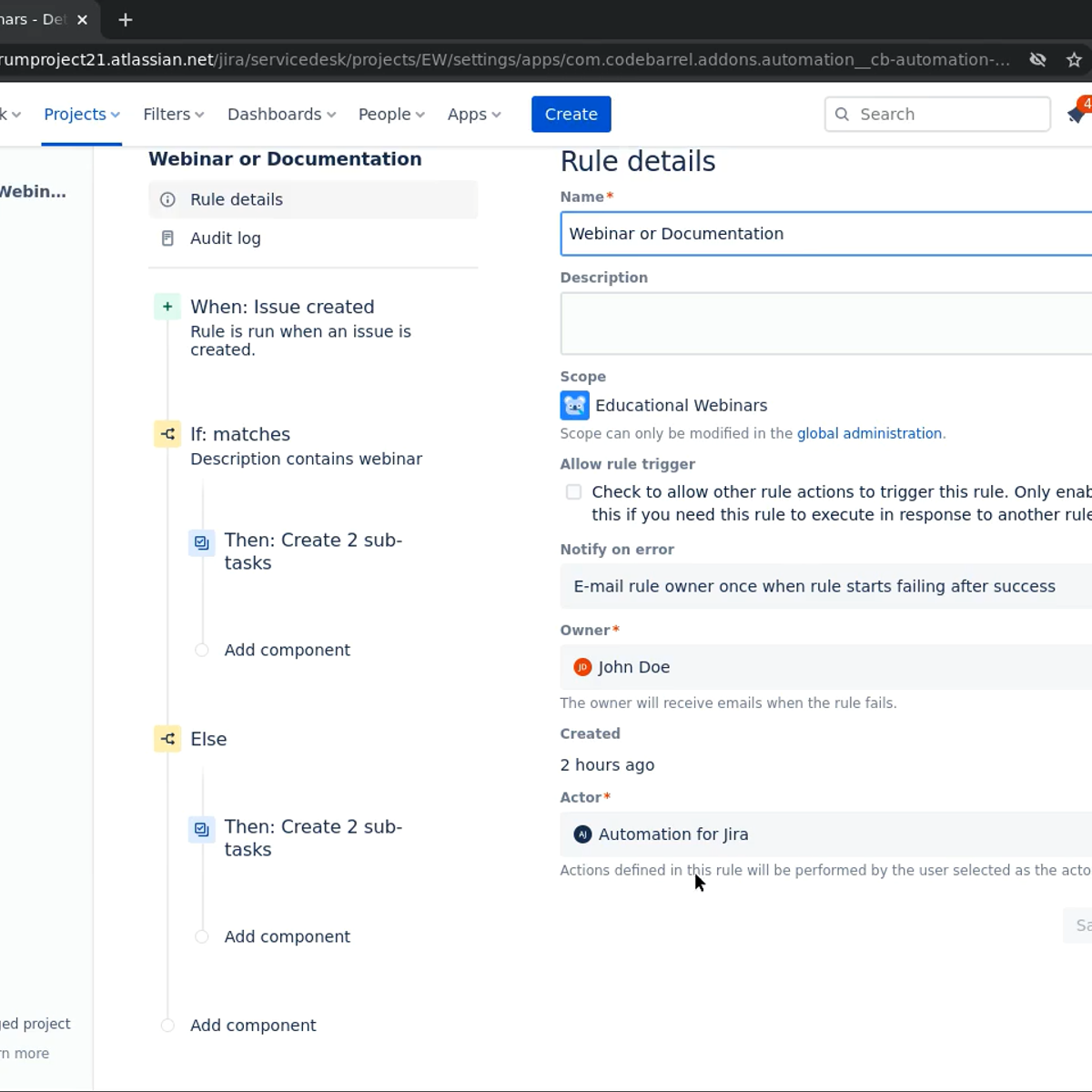
Automate tasks and processes with Jira
In this 2 and a half hours long guided project you will learn the basics of Jira automation. You will create automation rules using triggers, conditions and actions to auto assign tasks, apply sub tasks templates to reflect your business processed into your project management. You will add branches applying conditions based on relationships between issues so to automatically update their status depending on completion of their sub-tasks. Finally you will use smart values to interact with Jira information and optimize communication by sending automatic emails depending on events of your project management.
 Logical Operations
Adobe Photoshop CC: Part 1
Adobe® Photoshop® CC: Part 1 focuses on some of the basic features of Photoshop so that the student can navigate the environment and use Photoshop tools to work with photographic images. In addition, the orientation to Adobe® Bridge and organization of files in Bridge is covered. Although Photoshop is used by a variety of professionals, from photographers to designers to videographers, Photoshop Part 1 will focus mainly on the photography component. The illustration and animation techniques are covered in subsequent levels of Photoshop. This course is a great component of your preparation for the Adobe Certified Professional (ACP) in Visual Design Using Adobe Photoshop exam. Target students include professional or amateur photographers who want to use the robust features of Photoshop to enhance, modify, and organize their photographs, and anyone interested in working toward the Visual Design Using Adobe Photoshop certification. In this course, you will: identify the components and capabilities of Photoshop; create basic images; manage selections and layers; modify and repair images, and manage colors; refine images by adjusting layers, using camera raw, and applying advanced image refinement; and import, export, organize, and save files. This course requires that you have Adobe Photoshop installed on a Windows PC. The course setup instructions provided in the first module of the course go into more detail about the hardware and software requirements.